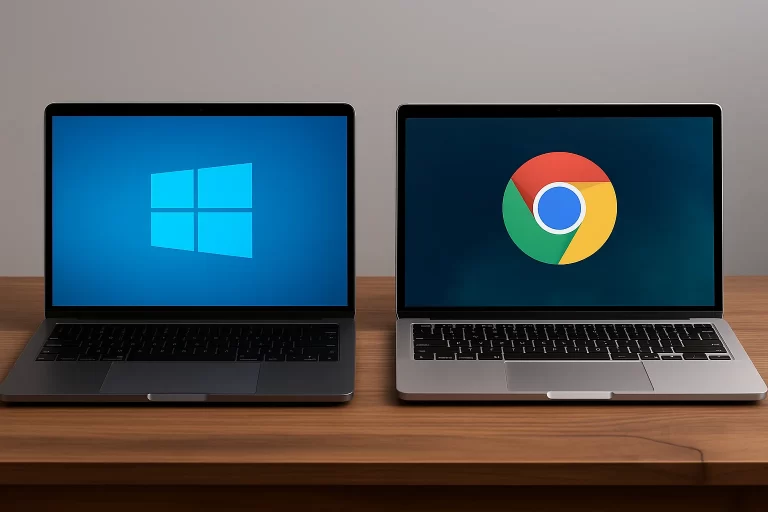
Choosing the right operating system (OS) is critical when buying or upgrading a computer. The debate between Linux and Windows users has persisted for decades, with both systems offering distinct features, benefits, and drawbacks.
Understanding the difference between Linux and Windows
This article explores the key differences between Linux and Windows to help you make an informed decision.An operating system is the backbone of any computer, managing hardware resources and allowing you to run applications effectively. Linux and Windows, the two most widely used OSs, cater to vastly different user bases. Let’s break down their key differences to help you choose the most suitable one based on your requirements.
1. Cost and licensing
– Linux: One of the most significant advantages of Linux is that it’s free and open-source. Most Linux distributions (distros) allow users to install and use the OS without requiring additional costs. This includes popular distros like Ubuntu, Fedora, and Debian.
– Windows: In contrast, Windows comes with a price tag. Windows 11, for instance, is available in various versions, including Home, Pro, and Enterprise, with costs starting from Rs. 8,000 to Rs. 15,000 or more, depending on the license type.
2. Customization and flexibility
– Linux: The open-source nature of Linux enables users to customize virtually every aspect of the OS, provided they have the technical know-how. Developers and advanced users often prefer Linux for its flexibility.
– Windows: Windows offers limited customization. While users can modify themes, apps, and certain settings, its closed-source nature keeps many features inaccessible for customization.
3. Ease of use
– Linux: While Linux has made strides in user-friendliness with modern distros, it is often considered less intuitive for beginners. Installing software usually requires command-line inputs unless you use a GUI-based package manager.
– Windows: Windows is globally known for its easy-to-use graphical interface, making it the preferred choice for non-technical users. Its familiarity ensures that most people can start using it with minimal learning curve.
4. Performance and hardware compatibility
– Linux: Linux is considered lightweight, using fewer system resources. It can run efficiently on older hardware, making it a popular choice for refurbishing old PCs. However, specialized hardware like certain printers or computer keyboard cost may require manual installation of drivers.
– Windows: Windows is resource-intensive compared to Linux but has better hardware compatibility out of the box. Nearly all manufacturers design drivers specifically for Windows, ensuring a smoother plug-and-play experience.
5. Security
– Linux: Linux is inherently more secure due to its community-driven nature and lower market share. This reduces its attractiveness to hackers. Additionally, users rarely need antivirus software for Linux systems.
– Windows: Being the most widely used OS, Windows is a common target for malware and viruses. It requires third-party antivirus software for optimal security.
6. Software and gaming
– Linux: Linux can run various open-source applications, but it lacks compatibility with many proprietary apps, including popular gaming titles and design software like Adobe Creative Suite.
– Windows: Windows dominates in software availability, including a vast library of games, business applications, and specialized tools.
Comparing costs: Does Linux make your setup cheaper?
An important consideration when comparing the difference between Linux and Windows is how much they affect your overall budget. Since Linux is free, the cost of building or upgrading a system using Linux remains limited to hardware expenses like the processor, RAM, or even peripherals, such as a computer keyboard. The cost of decent keyboards in India ranges from Rs. 500 to Rs. 2,500, depending on their features and build quality.
For Windows users, besides the cost of hardware, the price of the official Windows license must also factor into the total expenditure.
How to buy a computer using the Bajaj Finserv Insta EMI Card
When you’re ready to purchase your new computer, the Bajaj Finserv Insta EMI Card can make the process seamless and budget-friendly. Here’s how you can use it:
1. Visit a Bajaj Finserv partner store
Head to any Bajaj Finserv partner store near you. These stores offer a wide range of electronic products, from laptops to accessories like computer keyboards, all available on EMI.
2. Choose your preferred brand and model
Browse through the store’s catalog of laptops, desktops, and accessories to pick the right option for your needs, whether it’s a Windows PC or a Linux-compatible alternative.
3. Select a suitable easy EMI plan
Decide on an EMI plan that matches your financial requirements. With flexible tenures and no-cost EMI options, you can manage your payments easily over time.
4. Complete your purchase using the EMI Network Card
Provide your Bajaj Finserv Insta EMI Card details at the billing counter and finalize your purchase without the need for any upfront payment.
Frequently asked questions
1. Which operating system is better for gaming: Linux or Windows?
Windows is the preferred OS for gaming due to its extensive support for a wide array of gaming hardware and software. While Linux gaming has improved with platforms like Steam Proton, it still cannot match Windows’ gaming ecosystem.
2. Can I install Linux on a Windows PC?
Yes, you can install Linux on a Windows PC. Many users set up a dual-boot system to use both Linux and Windows on the same machine. Alternatively, you can try Linux via a virtual machine or bootable USB drive.
3. Is Linux completely free?
Yes, most Linux distributions are free. Some enterprise-level versions, like Red Hat Enterprise Linux, charge a fee for added support and features.
4. How can I reduce costs when purchasing a computer keyboard?
Look for budget-friendly options online or during sales events. You can also use financing options like the Bajaj Finserv Insta EMI Card.
Conclusion
Whether you opt for Linux or Windows ultimately depends on your use case. If you prioritize customization, open-source access, and cost-effectiveness, Linux is an excellent choice. However, if ease of use, compatibility, and software availability are non-negotiable for you, Windows is the way to go.
When purchasing a computer or accessories like computer keyboards, financing options such as the Bajaj Finserv Insta EMI Card can help you secure the perfect setup within your budget. Compare the options carefully and invest in the operating system that aligns with your specific needs.