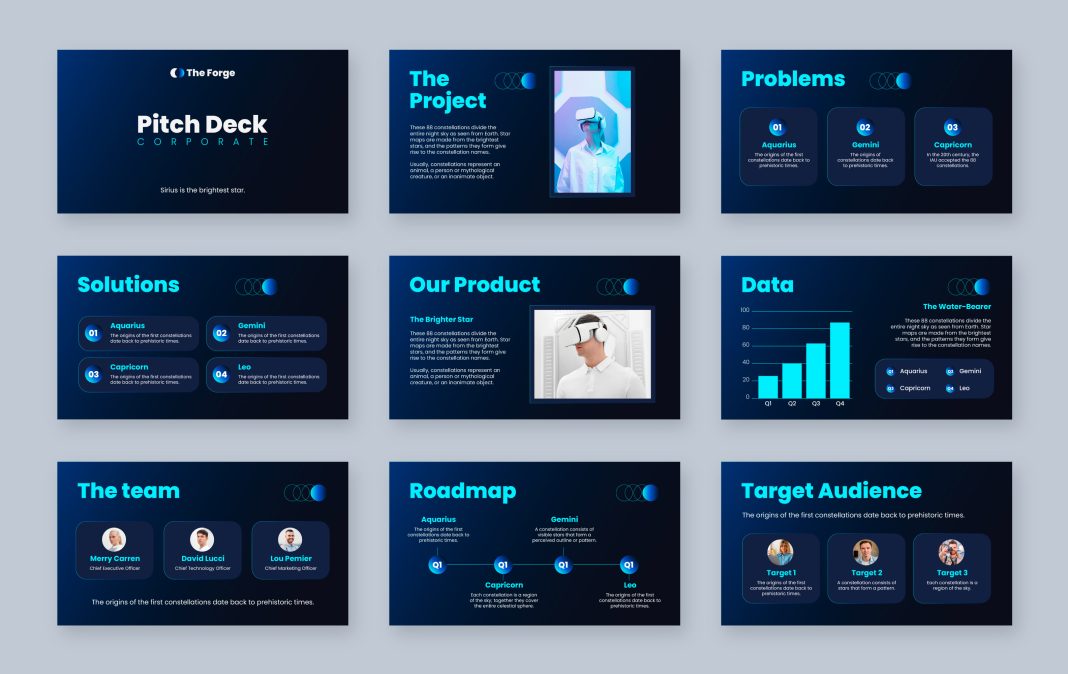

Design strategies used by every professional presentation company
Let us be honest.
Most business presentations do not fail because of software. They fail because of design decisions.
You do not need expensive tools. You do not need animation plugins. You definitely do not need to be a graphic designer.
What you do need is structure, clarity, and a few professional techniques that every professional presentation company quietly follows.
At MyBusiness Visual, we work with business leaders, startups, sales teams, and corporate executives who often ask:
“How can we make our slides look professional without investing in expensive tools?”
This blog gives you that answer.
Why Professional Slides Matter in 2026
Presentation standards have changed.
- Investors expect clarity.
- Clients expect professionalism.
- Internal teams expect structured communication.
- Attention spans are shorter than ever.
Your slides represent your brand authority.
If they look cluttered or outdated, perception shifts instantly — and not in your favor.
Professional slides are no longer optional. They are part of your competitive positioning.
The 7 Professional Secrets to Make Slides Look Professional
1. Master the Rule of Visual Hierarchy
Professional slides are not crowded.
They guide the eye naturally.
Every professional presentation company focuses on hierarchy:
- Clear headline
- Medium sub-point
- Supporting detail
- Clean spacing
Quick Rule:
If everything looks important, then nothing is important.
Pro Tip:
Use one key message per slide. Break content across multiple slides instead of compressing everything into one.
2. Use a Limited Color Palette
Software does not create elegance. Discipline does.
Stick to:
- 1 brand color
- 1 accent color
- 1 neutral color
Avoid random gradients and neon shades unless they align with your brand identity.
| Element | Recommended Approach | Avoid |
| Background | White or subtle tint | Busy patterns |
| Headlines | Dark bold tone | Multi-colored text |
| Highlights | Brand accent color | Random bright shades |
| Charts | 2–3 colors maximum | Rainbow graphs |
Minimal color equals a professional feel.
3. Typography Equals Instant Authority
Typography alone can elevate your slides.
Use:
- One font for headings
- One font for body text
Avoid:
- Decorative fonts
- Mixing 3+ font styles
- Overuse of italics and underline
Spacing is powerful. Increase line spacing slightly to create breathing room.
Professional presentations feel calm — not cramped.
4. Replace Paragraphs with Visual Blocks
Executives do not read slides. They scan them.
Instead of:
❌ Large paragraphs
Use:
✔ Short phrases
✔ Icons
✔ Structured blocks
✔ Maximum 3–5 bullet points
Example Transformation
Before:
“We aim to expand our market share by 15% over the next two quarters by focusing on strategic partnerships, digital transformation and customer retention initiatives.”
After:
Growth Strategy (Next 6 Months)
- +15% Market Expansion
- Strategic Partnerships
- Digital Transformation
- Customer Retention Focus
Cleaner. Faster. Executive-friendly.
5. Consistency Equals Professional Feel
Professional slides feel intentional.
Ask yourself:
- Are margins equal on every slide?
- Are headings aligned consistently?
- Is icon style consistent?
- Is spacing similar throughout?
This is exactly what a professional presentation company audits during slide refinement.
Consistency builds trust subconsciously.
6. Use Data Visualization Smartly
Charts do not need to be flashy.
They need to be clear.
Upgrade your charts by:
- Removing heavy borders
- Removing background grids
- Highlighting the key data point
- Adding insights directly above the chart
Instead of writing:
“Revenue increased significantly.”
Write:
Revenue Growth: +28% YoY
That small adjustment instantly makes slides executive-ready.
7. White Space Is Not Empty Space
One of the biggest mistakes businesses make is filling every inch of the slide.
White space:
- Improves readability
- Creates elegance
- Directs focus
Professional brands use space strategically.
If a slide feels “too empty,” it is probably just right.
The Professional Slide Formula
Use this structure for most business slides:
[Headline Insight]
Short, powerful statement
[Supporting Visual or Chart]
[3 Key Supporting Points]
This framework works for:
- Sales decks
- Investor pitches
- Strategy presentations
- Internal reviews
At MyBusiness Visual, we call this the “Insight-First Slide Structure.”
Trending in 2026: What Modern Presentations Look Like
Business presentation trends have shifted toward:
- Minimalist layouts
- Data storytelling
- Soft neutral backgrounds
- Fewer animations
- Narrative-driven slides
- AI-assisted structure refinement
Notice something?
None of this requires expensive software.
It requires strategic thinking.
When to Consider Outsourcing
There is a difference between “clean” and “strategic.”
If your presentation is:
- For investors
- For board meetings
- For client pitches
- For funding rounds
- For high-value sales conversions
You may want to Outsource Powerpoint Presentation Support.
Why?
Because:
- Storyline structure matters.
- Persuasion flow matters.
- Data framing matters.
- Design psychology matters.
A specialized presentation company does not just make slides look good.
They make them perform.
DIY vs Professional Support
| Factor | DIY Approach | Professional Support |
| Cost | Low | Investment-based |
| Time | High | Significant time saved |
| Strategic Storytelling | Limited | Advanced |
| Visual Consistency | Depends on skill | Guaranteed |
| Investor-Level Finish | Rare | Standard |
If the stakes are high, professional support pays off.
Common Mistakes Businesses Make
- Too much text
- Copy-paste from documents
- Overusing animations
- Poor alignment
- Inconsistent slide formatting
- Overcrowded charts
- No clear story flow
Avoiding these alone can dramatically upgrade your deck.
FAQs
1. Can I make professional slides using PowerPoint?
Yes. Clean structure, alignment, consistent fonts, and smart data presentation are enough.
2. Do I need advanced design software?
Not for business decks. Strategic layout matters more than complex tools.
3. When should I Outsource Powerpoint Presentation Support?
When your presentation impacts revenue, investment, or executive-level decisions.
4. What does a professional Presentation Designing Company actually improve?
- Narrative structure
- Visual consistency
- Data storytelling
- Brand alignment
- Executive polish
5. How does MyBusiness Visual approach presentations differently?
We combine clarity-first storytelling with business strategy — not decorative design.
Bonus: 5 Quick Slide Upgrade Hacks
- Increase margins on every slide
- Reduce text by 40%
- Remove unnecessary icons
- Align everything to a grid
- Convert sentences into strong headlines
Small changes. Big transformation.
Final Thoughts
Professional slides are not about software.
They are about:
- Clarity
- Structure
- Consistency
- Strategic storytelling
Whether you are building internally or choosing to Presentation Designing Company, the goal remains the same:
Deliver impact.
At MyBusiness Visual, we believe every business presentation should reflect authority, confidence, and professionalism — without unnecessary complexity.
Because in business…
Simple wins.
Structured wins.
Strategic wins.
If you are looking to elevate your presentations beyond templates into executive-level communication, partnering with a trusted presentation company could be the smartest growth decision you make this year.
And if you would like expert guidance — you know where to find us.