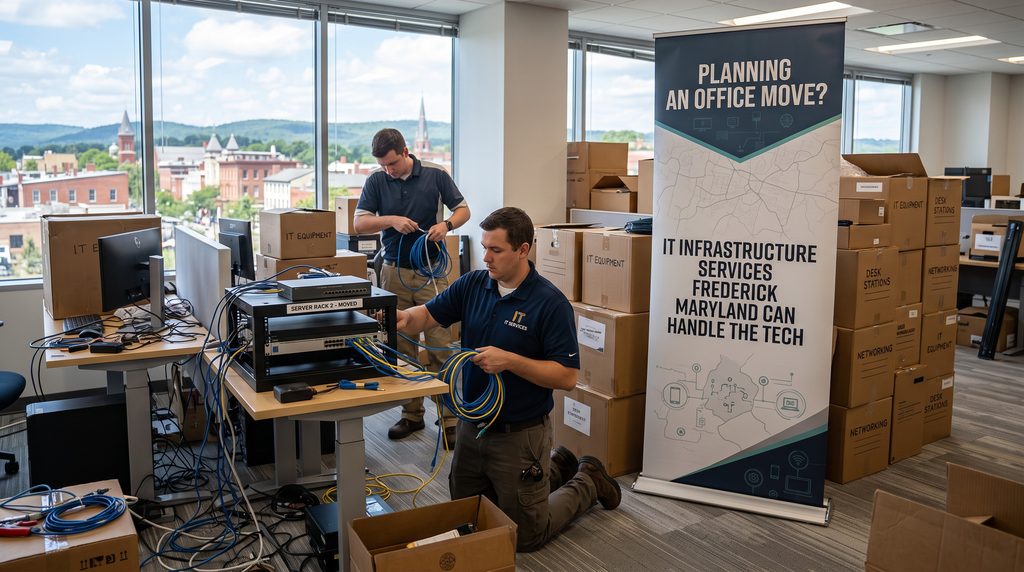
Moving to a new office is exciting. More space and room to grow. But behind the floor plans and paint colors sits a project that can make or break your first week: moving your technology.
Servers, network gear, phones, internet service, security cameras, and every workstation need to come down, travel safely, and work on day one in the new space. Miss one step, and your team may arrive Monday morning to no internet and phones that don’t ring. This guide walks through how to plan the technology side of a move and how IT Infrastructure Services Frederick Maryland businesses rely on can take that work off your plate.
Why the tech side of a move needs its own plan
Most moving plans focus on furniture, leases, and logistics. Technology often gets treated as a last-minute task. That’s a mistake.
Some IT work has long lead times. New internet circuits can take weeks or even months to install. Cabling has to go in before walls close and furniture arrives. Phone numbers need to be ported on a set schedule. If any of these slips, your move date slips with it, or your business opens in a new space that can’t operate.
A dedicated technology plan keeps those pieces on track. It’s also the best time to fix problems you’ve lived with for years. Working with IT Infrastructure Services Frederick Maryland providers early gives you a chance to move to a faster, more secure setup instead of carrying old issues into a new building.
Start early: a timeline that works
Every move is different, but this general timeline keeps most projects on schedule:
- Three to four months out: Review the new space, order internet service, and decide whether to upgrade equipment or move to the cloud.
- Two to three months out: Complete a site survey, finalize the cabling plan, and design the network and wireless layout.
- One to two months out: Install structured cabling, prepare the server room or network closet, and schedule phone number porting.
- Two to four weeks out: Inventory and label equipment, confirm backups, and test the new internet connection.
- Move weekend: Shut down, pack, transport, reinstall, and test every system.
- First week: Provide on-site support while employees settle in.
Starting late compresses every step and raises the risk of mistakes. IT Infrastructure Services Frederick Maryland teams that handle moves regularly know which tasks to start first.
Step 1: Survey the new space
Before anyone runs a cable, someone needs to walk the new office with technology in mind. A good site survey looks at:
- Where the network closet or server room will go, and whether it has proper power, cooling, and physical security.
- How many network drops each office, cubicle, and conference room needs.
- Wireless coverage, including walls, floors, and materials that block signals.
- Where printers, cameras, access control panels, and conference room displays will sit.
- What internet providers already serve the building.
Older buildings in and around downtown Frederick can bring surprises, such as thick walls or limited pathways for cable. Finding those issues early avoids costly changes later. A survey from IT Infrastructure Services Frederick Maryland professionals turns the floor plan into a clear technical design.
Step 2: Order internet service right away
This is the step businesses most often leave too late. Business internet installations, especially fiber, can involve construction, permits, and scheduling on the provider’s side. Lead times vary widely.
Order service as soon as your lease is signed. Consider a second connection from a different provider for backup. If your phones, cloud applications, and file access all depend on the internet, a single outage can stop your entire office. Redundant connections with automatic failover keep you working.
Step 3: Plan structured cabling
Structured cabling is the organized network of cables, patch panels, and racks that connects every device in your office. Done well, it’s neat, labeled, and easy to manage for years. Done poorly, it becomes a tangle that slows down every future change.
Cabling should go in before furniture and, ideally, before final wall finishes. Plan extra drops for growth. It costs far less to add them during construction than after. Ask for proper labeling and documentation so anyone can trace a connection later. Quality cabling is one of the most valuable parts of IT Infrastructure Services Frederick Maryland providers offer during a move.
Step 4: Decide what moves and what changes
A move is a natural time to rethink your setup. Ask a few honest questions:
- Should our aging on-site server move with us, or should we migrate to cloud hosting?
- Is our old phone system worth reinstalling, or should we switch to a cloud-based phone system?
- Does our network equipment support the speeds and security we need?
- Are we due for a computer refresh anyway?
Moving to the cloud before the move can reduce what you have to transport and protect. Many businesses find that a server migration ahead of moving day shrinks the risk of the move itself. IT Infrastructure Services Frederick Maryland experts can help you compare costs and choose the path that fits your budget.
Step 5: Protect your data
Equipment gets bumped and dropped during a move. Hard drives fail. Before anything leaves your current office, make sure you have a complete, tested backup of every critical system.
“Tested” is the important word. A backup you’ve never restored is a guess. Confirm that files and systems can actually be recovered. Keep at least one copy off-site or in the cloud, separate from the equipment being moved.
For organizations that handle protected health information or controlled government data, the move also has compliance implications. You may need to track who handled equipment, keep sensitive devices secured during transport, and maintain physical access controls in the new space. IT Infrastructure Services Frederick Maryland providers familiar with frameworks such as CMMC and NIST 800-171 can build those controls into the move plan.
Step 6: Handle phones and numbers
Your customers shouldn’t notice that you moved, except for the new address. That means your phone numbers need to work on the first day.
If you use a traditional phone system, the lines may need to be transferred or ported, and that process follows the carrier’s timeline. If you use cloud calling, the move is often simpler since phones connect over the internet. You’ll still need to update emergency calling addresses so 911 calls show the correct location. Schedule porting carefully so service doesn’t drop during the transition.
Step 7: Move day and cutover
Most businesses move over a weekend to limit downtime. A typical cutover includes:
- Shutting down systems in a planned order after the final backup.
- Labeling and packing equipment with care, especially servers and network gear.
- Transporting sensitive equipment directly, not mixed in with general furniture.
- Reinstalling servers, switches, firewalls, and wireless access points.
- Bringing systems back online and testing internet, phones, printers, and key applications.
- Setting up and testing workstations so employees can log in Monday morning.
A detailed checklist keeps the weekend organized. Having experienced technicians on site from IT Infrastructure Services Frederick Maryland teams means problems get fixed on Saturday instead of discovered on Monday.
Step 8: Support the first week and close out the old site
Even with good planning, small issues pop up. A printer won’t connect. A monitor cable got lost. Someone’s desk phone is in the wrong office. On-site support during the first few days keeps these from becoming productivity drains.
Don’t forget the old office. Any equipment you leave behind or retire should have its data securely wiped or the drives destroyed. Old network gear and phones should be removed or reset so they can’t be misused. Update documentation so your new environment is fully recorded.
Move with confidence with Advantage Tech
An office move doesn’t have to mean lost days or dropped calls. With early planning and the right team, your business can close Friday in one building and open Monday in another without missing a beat.
Advantage Tech provides IT Infrastructure Services Frederick Maryland businesses trust, from our local office at 8 East 2nd Street. We help professional services firms, healthcare practices, contractors, and technology companies plan and carry out the technology side of a move. Our services include structured cabling, network design and administration, server migration, cloud hosting, VoIP phone systems, security camera installation, and data backup and recovery.
We also build security and compliance into every project, with experience supporting frameworks such as CMMC, NIST 800-171, FedRAMP, and FISMA. Our certified engineers provide both on-site and remote support, so help is close by when you need it. If you’re planning a move, visit Advantage Tech to book a consultation. Our IT Infrastructure Services Frederick Maryland team will help you build a plan and have your office ready on day one.