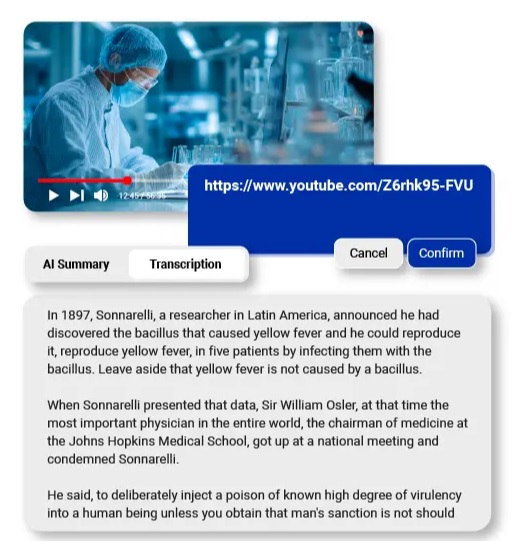

Recent studies show that 67% of professionals experience webinar fatigue, struggling to extract value from the average 12 hours of virtual meetings they attend weekly. The challenge isn’t just sitting through sessions—it’s the time wasted afterward trying to locate specific information in hour-long recordings or deciphering hastily scribbled notes. Critical action items get buried in lengthy discussions, and knowledge sharing across time zones becomes nearly impossible when teams rely on static recordings.
Interactive webinar transcripts are transforming how organizations capture and leverage meeting content. Unlike traditional transcription services that deliver plain text documents, today’s solutions integrate AI summarization that distills two-hour sessions into five-minute reads, multilingual translation that breaks language barriers for global teams, and real-time interactivity that turns passive recordings into searchable, navigable knowledge bases. This article explores these emerging trends and provides actionable strategies for professionals seeking to reclaim countless hours lost to inefficient content review while improving information retention and team collaboration across distributed workforces.
The Critical Need for Advanced Transcription Solutions
The shift to remote and hybrid work models has accelerated webinar adoption across industries, with businesses hosting 300% more virtual sessions than pre-2020 levels. This surge creates an unexpected bottleneck: professionals now spend an average of 4.2 hours weekly re-watching recordings to find specific discussions or verify decisions made during live sessions. The inefficiency compounds when team members miss meetings across different time zones, forcing managers to manually compile notes or field repetitive questions about content already covered.
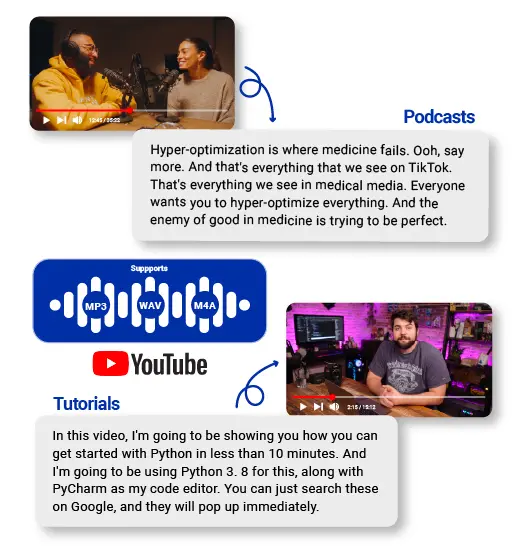
Traditional transcription fails to address core pain points. Action items discussed at minute 47 of an hour-long training session remain buried unless someone manually timestamps them. Research indicates that participants retain only 8-10% of information from passive webinar viewing, compared to 65% retention when they can actively search and revisit specific segments. For compliance-heavy industries, the stakes escalate further—legal teams require verbatim records with speaker identification for regulatory audits, while HR departments need searchable archives of policy training sessions to demonstrate due diligence. Medical organizations conducting continuing education webinars must provide verifiable attendance records with content verification, making static video files inadequate for professional certification requirements.
Interactive Transcripts: Beyond Static Text
Interactive transcripts fundamentally differ from traditional text files by synchronizing written content directly with video timelines, creating a bidirectional navigation system. When users click any sentence in the transcript, the video instantly jumps to that exact moment, eliminating the need to scrub through progress bars searching for relevant discussions. This synchronized approach transforms hour-long recordings into instantly accessible reference materials where professionals can locate specific topics in seconds rather than minutes.
The search functionality embedded in interactive systems allows users to enter keywords like “budget approval” or “Q3 targets” and receive timestamped results showing every instance those terms appear throughout the session. Clicking any search result immediately plays the corresponding video segment with contextual surrounding content, making it simple to verify exact wording or understand full context. For training sessions covering multiple topics, participants can jump directly to certification requirements discussed at the 38-minute mark without watching preliminary content they’ve already mastered. Sales teams reviewing product demonstrations can instantly navigate to pricing discussions or feature comparisons mentioned briefly during longer presentations, while legal departments conducting due diligence can quickly verify statements made during recorded depositions or compliance training without reviewing entire recordings.
Real-World Professional Applications
Marketing teams conducting campaign retrospectives use highlighting features to mark critical performance metrics mentioned across multiple stakeholder presentations, creating visual bookmarks for quarterly reports. The annotation capability allows project managers to attach clarifying notes directly to specific transcript moments—when a client requests “the updated timeline,” managers add inline comments linking to the revised project schedule, ensuring future reviewers have immediate context. Collaborative comment threads transform individual viewing into team knowledge-building exercises where sales engineers can flag technical questions raised during customer demos, prompting product teams to provide detailed responses attached to exact timestamps. This threaded discussion approach ensures institutional knowledge accumulates around specific content rather than scattering across separate email chains or chat platforms.
AI-Powered Summarization for Long-Form Content
Manual note-taking during webinars creates inconsistent records where different attendees capture conflicting takeaways from identical sessions. One participant might focus on strategic direction while another emphasizes technical implementation details, leading to misaligned team priorities. Handwritten notes also suffer from human attention limits—critical decisions mentioned during minute 73 of a 90-minute session often go unrecorded as cognitive fatigue sets in.
Natural language processing algorithms analyze complete webinar transcripts to identify discussion patterns, decision points, and recurring themes that signal importance. These AI systems recognize linguistic markers like “we’ve decided to,” “the key takeaway is,” or “action required” that indicate actionable content versus general discussion. Advanced models distinguish between preliminary brainstorming and finalized conclusions, ensuring summaries reflect actual outcomes rather than exploratory conversations. Users can customize output length based on their needs—executives might request 200-word executive summaries highlighting only strategic decisions, while project teams need 800-word detailed breakdowns covering implementation timelines, assigned responsibilities, and technical specifications. This flexibility ensures stakeholders at every organizational level receive appropriately detailed information without manually filtering through full transcripts.
Implementing Automated Takeaways
Modern transcription platforms integrate directly with Zoom, Microsoft Teams, and WebEx through API connections that automatically trigger processing when webinars conclude. Within minutes of session end, attendees receive emails containing timestamped summaries with direct links to relevant video segments. For board meetings requiring executive briefings, administrators configure templates that extract financial discussions, voting outcomes, and strategic initiatives from two-hour sessions into structured reports matching corporate governance formats. Action item extraction uses speaker identification to automatically assign tasks—when the transcript shows “Sarah, can you update the client proposal by Friday,” the system generates a task entry with Sarah as the assignee, Friday as the deadline, and a video link to the full context. These extracted items export directly to project management tools like Asana or Monday.com, eliminating manual data entry while maintaining accountability through verifiable source recordings.
Multilingual Translation Capabilities
Organizations with distributed international teams face significant barriers when webinar content remains locked in a single language. A European headquarters conducting product training in English leaves Asian and Latin American offices struggling with technical terminology, while regional managers waste hours providing verbal translations that introduce inconsistencies. Studies indicate that non-native speakers retain 40% less information from English-language webinars compared to content delivered in their primary language, creating knowledge gaps that undermine global operational alignment.
Automated translation integrated directly into transcript platforms eliminates these barriers by converting source transcripts into 30+ languages while maintaining synchronized video timestamps. Sales teams in Tokyo access Japanese transcripts of strategy sessions recorded in New York, clicking translated text to watch corresponding English video segments with full context. Compliance departments distribute training materials simultaneously in French, German, and Spanish, ensuring multinational subsidiaries receive identical policy information without waiting for manual translation services that typically require 5-7 business days. The technology preserves speaker identification across languages, allowing international teams to track which executives made specific commitments during multilingual board presentations, while searchability functions operate in each target language—German employees searching “Produkteinführung” locate the same content English speakers find with “product launch.”
How to Translate YouTube Video & Webinar Content
Begin by generating a source-language transcript using speech recognition tools that achieve 95%+ accuracy for clear audio with minimal background noise. Review and correct industry-specific terminology, acronyms, and proper nouns that automated systems frequently misinterpret—”Salesforce” might transcribe as “sales force” without manual verification. Once the cleaned transcript is finalized, neural machine translation engines process the text while maintaining timestamp synchronization, ensuring translated sentences align with corresponding video moments. The localization phase addresses cultural context beyond literal translation: American date formats convert to European standards, currency references adjust to regional conventions, and idiomatic expressions transform into culturally equivalent phrases rather than confusing word-for-word translations.
Technical terminology requires specialized attention—medical webinars discussing “myocardial infarction” need translations that match official medical terminology in target languages rather than colloquial terms patients might use. Platform selection significantly impacts output quality: general-purpose translation tools struggle with industry jargon, while specialized systems trained on domain-specific datasets deliver substantially higher accuracy for legal, medical, or engineering content. Solutions like Owll AI combine high-accuracy transcription with integrated translation capabilities, streamlining the workflow from speech recognition through multilingual output. Verify translated outputs by having native speakers from target regions review samples before distributing company-wide, as even advanced AI systems occasionally produce grammatically correct translations that native speakers find unnatural or ambiguous in professional contexts.
Implementation Roadmap for Professionals
Selecting the right transcription platform requires evaluating accuracy rates against your specific audio conditions—solutions achieving 95% accuracy in controlled studio environments may drop to 78% with multiple speakers, accents, or background noise common in live webinars. Test candidate platforms with recordings from your actual meetings rather than vendor-provided samples to assess real-world performance. Integration capabilities determine workflow efficiency: native connections to your existing webinar software, project management tools, and knowledge bases eliminate manual file transfers and data re-entry that consume administrative time. Security considerations become paramount when transcripts contain proprietary information—verify that platforms offer end-to-end encryption, role-based access controls, and compliance certifications matching your industry requirements like HIPAA for healthcare or SOC 2 for financial services.
Cost-benefit analysis extends beyond subscription fees to calculate time savings multiplied by employee hourly rates. If five team members each save 90 minutes weekly by using searchable transcripts instead of re-watching recordings, that represents 7.5 hours of recovered productivity per week, translating to approximately 390 hours annually—equivalent to hiring a part-time employee solely for meeting review tasks.
Workflow Integration Best Practices
Configure automated triggers that send transcript links to all registered attendees within 15 minutes of webinar conclusion, while meeting hosts receive enhanced versions including AI summaries and extracted action items. Establish naming conventions and folder structures in your knowledge management system before deployment—organizing transcripts by department, project code, or date ensures teams can locate historical content months later without relying on individual memory. Connect action item extraction outputs directly to your CRM or task management platform so commitments made during client calls automatically populate follow-up workflows with accountability tracking.
Conduct 30-minute training sessions demonstrating search techniques, timestamp navigation, and annotation features rather than assuming intuitive adoption—employees unfamiliar with interactive transcripts often continue manual note-taking unless explicitly shown efficiency gains. Designate department champions who model best practices like tagging relevant colleagues in transcript comments or creating highlight reels of critical moments for executive reviews, establishing organizational habits that maximize platform value beyond basic transcription.
Maximizing Webinar Content Value Through Advanced Transcription
Interactive navigation systems that synchronize transcripts with video timelines have eliminated the inefficiency of scrubbing through hour-long recordings, while AI-powered summarization condenses complex discussions into actionable briefings that executives can digest in minutes rather than hours. Multilingual translation capabilities deliver measurable ROI by enabling global teams to access identical training content simultaneously across 30+ languages, reducing knowledge gaps that previously undermined international operations and eliminating the 5-7 day delays associated with manual translation services.
Professionals seeking immediate impact should prioritize platforms offering native integrations with existing webinar software and project management tools, ensuring automated workflows that deliver searchable transcripts within minutes of session completion. Calculate potential time savings by multiplying weekly hours currently spent re-watching recordings by employee count and hourly rates—organizations consistently discover that recovered productivity justifies premium solution costs within the first quarter. Looking ahead, predictive analytics will translate YouTube video content and webinar recordings from passive records into proactive intelligence systems that identify emerging discussion patterns, flag potential compliance risks before they escalate, and automatically surface relevant historical content during live meetings, fundamentally changing how organizations capture and leverage institutional knowledge across distributed workforces.



