
Have you ever published a blog post or website page only to discover that similar content already exists somewhere else on your website? If yes, you might be dealing with a common SEO problem called duplicate content.
Duplicate content can create confusion for search engines and make it difficult for them to understand which version of a page should appear in search results. Although it does not automatically lead to a Google penalty, it can affect your website’s visibility and overall SEO performance.
Understanding what is duplicate content and how to fix it is important for anyone who wants to maintain a healthy website and improve organic traffic.
In this guide, we will explain duplicate content, why it happens, how it affects SEO, and the practical steps you can take to resolve it.
What Is Duplicate Content?
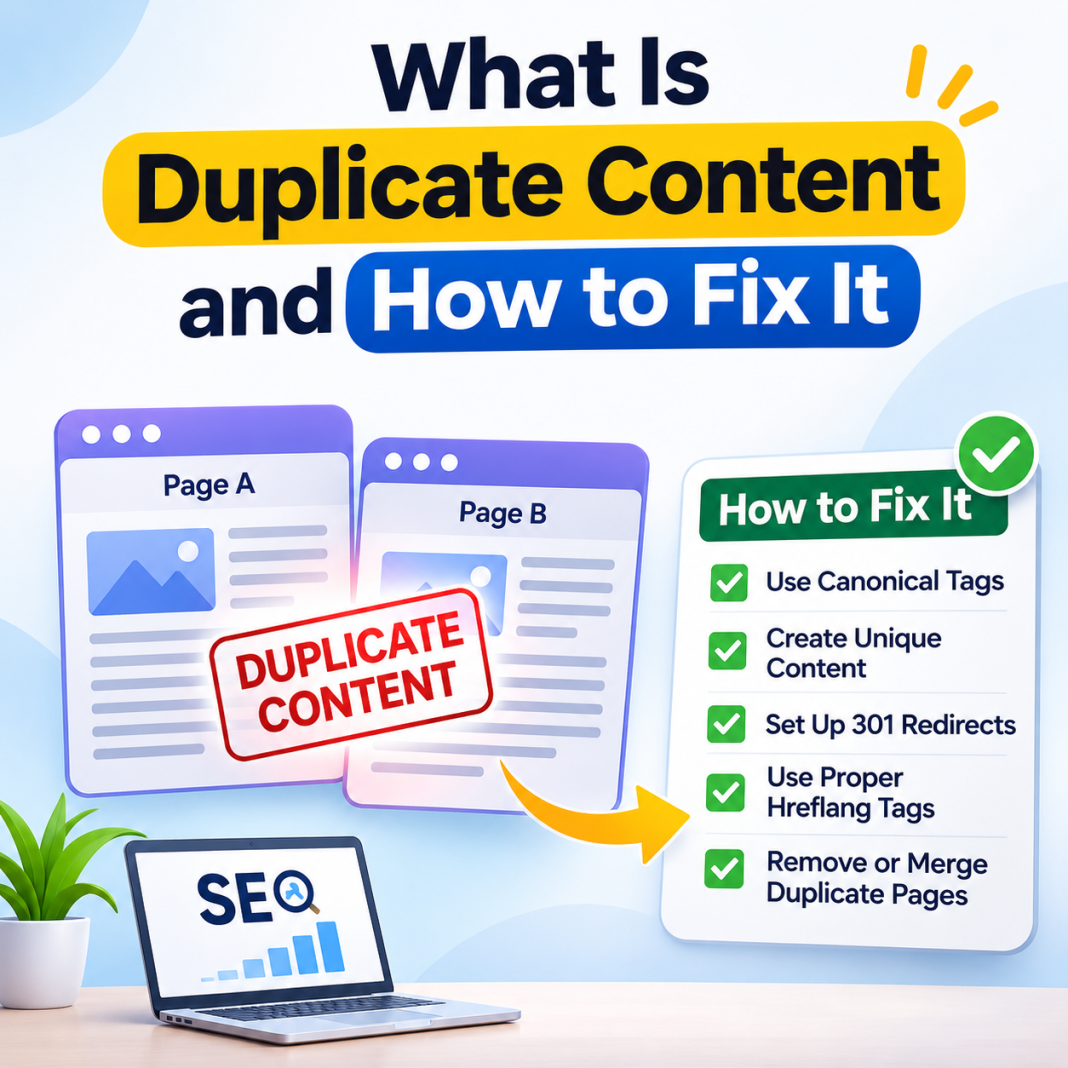
Duplicate content refers to identical or very similar information appearing on multiple URLs, either within the same website or across different websites.
For example, imagine publishing one article on your website and then creating another page with almost the same information. Search engines may struggle to decide which page is more relevant to show users.
This situation is known as duplicate content.
It can happen accidentally due to website settings, URL variations, copied descriptions, or poor content management practices.
There are two main types:
- Internal duplicate content: Similar or identical content appears on multiple pages of the same website.
- External duplicate content: The same or highly similar content appears on different websites.
Both types can create SEO challenges if they are not managed properly.
Why Does Duplicate Content Happen?
Many website owners do not intentionally create duplicate pages. Sometimes, technical issues or small mistakes are responsible.
Here are some common reasons:
1. URL Variations
A single webpage may be accessible through multiple URLs. For example, HTTP and HTTPS versions or URLs with and without trailing slashes may display identical content.
2. E-commerce Product Pages
Online stores often have several product URLs with similar descriptions. Different product colours, sizes, or filters can create multiple versions of nearly identical pages.
3. Copied or Rewritten Content
Publishing the same article across multiple pages without adding meaningful differences can create duplication problems.
4. URL Parameters
Tracking codes, sorting options, and session IDs can generate different URLs that display the same content.
5. Website Migration
When moving a website to a new domain or changing its URL structure, old pages may remain accessible alongside new versions.
Identifying the actual reason is the first step towards resolving the problem.
How Does Duplicate Content Affect SEO?
Duplicate content does not automatically result in a Google penalty. However, it can create several problems that affect your website’s search performance.
Here is how:
- Confuses search engines: Search engines may struggle to identify the most relevant version of a page.
- Splits ranking signals: Backlinks and other ranking signals may become distributed across multiple URLs.
- Wastes crawl resources: Search engines may spend time crawling similar pages instead of discovering important content.
- Reduces user experience: Visitors may encounter repetitive information across different sections of your website.
- Affects organic visibility: The wrong version of a page may appear in search results.
Therefore, maintaining unique and useful content is an important part of a successful SEO strategy.
How to Fix Duplicate Content on Your Website?
Now that you understand the problem, let’s explore some effective ways to resolve it.
1. Use Canonical Tags
Canonical tags help search engines understand which URL represents the preferred version of similar or duplicate pages.
For example, if two URLs contain the same article, you can add a canonical tag pointing to the original page.
This tells search engines which version you prefer to be treated as the main page. However, canonical tags are signals rather than guaranteed instructions.
2. Set Up 301 Redirects
If multiple URLs contain identical content and you no longer need separate versions, consider using a 301 redirect.
A 301 redirect permanently sends visitors and search engines from an old URL to the preferred URL.
It is particularly useful during website migrations, URL changes, and duplicate page consolidation.
3. Create Original and Valuable Content
Avoid copying content from other websites or publishing nearly identical articles on multiple pages.
Instead, focus on providing original information, practical examples, useful insights, and answers to your audience’s questions.
Even when covering a popular topic, your content should offer something meaningful to readers.
4. Maintain a Consistent URL Structure
Choose your preferred website URL format and use it consistently.
For example, decide whether your website should use:
- HTTPS instead of HTTP.
- WWW or non-WWW.
- URLs with or without trailing slashes.
Configure redirects and canonical tags appropriately to help search engines understand your preferred URL structure.
5. Check Your Website Regularly
Regular website audits can help identify duplicate pages before they become bigger SEO problems.
You can use tools such as Google Search Console, Screaming Frog SEO Spider, and other SEO auditing platforms to discover indexing and duplication-related issues.
Review your pages regularly and take action whenever you find unnecessary duplication.
Best Practices to Prevent Duplicate Content
Fixing existing problems is important, but preventing them is even better.
Follow these simple practices:
- Write unique titles, descriptions, and page content.
- Avoid publishing the same article on multiple URLs.
- Use canonical tags correctly.
- Maintain a clean website structure.
- Set up proper redirects after changing URLs.
- Review your website after every major update.
- Use original product descriptions whenever possible.
- Keep internal linking consistent.
Remember, your primary goal should be to create content that genuinely helps your audience rather than publishing multiple pages targeting the same information.
Final Thoughts
Duplicate content is a common website issue, but it does not have to become a major SEO problem. With the right approach, you can identify unnecessary duplication, improve your website structure, and help search engines understand your content more clearly.
Whether you manage a blog, business website, or online store, regularly checking your pages is a smart SEO practice.
Focus on original content, consistent URLs, appropriate canonical tags, and proper redirects. Most importantly, create content that provides real value to readers.
A well-organized website with useful information gives both visitors and search engines a better experience.
Frequently Asked Questions (FAQs)
1. What is duplicate content in SEO?
Duplicate content in SEO refers to identical or very similar content appearing on multiple URLs. It can exist within one website or across different websites and may make it difficult for search engines to identify the preferred page.
2. Does duplicate content affect Google rankings?
Duplicate content does not automatically cause a Google penalty. However, it may create indexing and ranking challenges because search engines can struggle to select the most relevant version of a page.
3. How can I check duplicate content on my website?
You can use Google Search Console, Screaming Frog SEO Spider, and other website auditing tools to identify similar pages, URL variations, and indexing issues.
4. How do I fix duplicate content issues?
You can resolve these issues by implementing canonical tags, setting up 301 redirects, improving URL consistency, removing unnecessary duplicate pages, and creating original content.
5. Are canonical tags enough to solve duplicate content problems?
Canonical tags are helpful, but they are not a complete solution for every situation. Depending on the issue, you may also need redirects, consistent internal links, URL corrections, or content improvements.