
Choosing the right School ERP Software Provider in India is an important decision for any educational institution planning to improve its academic, administrative, financial, and communication processes. School ERP software becomes part of everyday operations, so the provider must offer more than a long list of features. The solution should be practical, scalable, secure, easy to use, and supported by a reliable implementation team.
Nascorp Technologies provides an integrated School ERP solution for CBSE, private, residential, large, and multi-branch schools in India. The platform brings essential school operations together through centralized ERP modules and mobile applications.
What Does a School ERP Software Provider Do?
A School ERP provider develops and supports a digital platform that helps educational institutions manage daily academic and administrative operations. However, the provider’s responsibility should not end with software delivery.
A complete service may include:
- Requirement analysis
- Product demonstration
- Module selection
- Software configuration
- User-role setup
- Data migration assessment
- Testing and validation
- Staff training
- Go-live assistance
- Post-implementation support
- Software updates
- Integration assistance
The quality of implementation and support can affect how effectively the school uses the ERP. Even feature-rich software may remain underused if employees are not trained or the system is not configured according to the institution’s requirements.
Why Schools Need a Reliable ERP Provider
School ERP software is used by teachers, administrators, accountants, HR teams, transport employees, parents, and management users. Each user requires different access and functions.
A reliable provider should understand these user roles and help the school establish appropriate permissions. Teachers may need access to attendance, homework, communication, and examination modules, while accounts employees require fee collection and financial reports. Management users need dashboards and consolidated information without interfering with everyday data entry.
The right provider can help schools:
- Reduce paperwork and repetitive tasks
- Maintain centralized student information
- Improve fee collection and reporting
- Digitize attendance and examinations
- Strengthen parent-school communication
- Introduce role-based data access
- Manage multiple school branches
- Train users according to their responsibilities
- Transfer relevant data from an existing system
- Receive assistance after implementation
Choose a School ERP provider that supports your growth.
Essential Features of School ERP Software
Student Information Management
The ERP should maintain centralized student profiles containing admission numbers, class and section details, parent information, contact records, photographs, documents, transport allocation, fee information, and academic history.
Admission and Enquiry Management
An admission module can help schools record enquiries, track applicants, collect registration information, manage documents, and confirm admissions through a structured process.
Attendance Management
Fee Management and Online Payments
The system should support configurable fee structures, concessions, due dates, receipts, outstanding reports, reminders, and online payment options based on the school’s requirements.
Examination and Report Cards
CBSE and private schools may require different examination structures, grading patterns, subject configurations, and report-card formats. The provider should explain the available configuration and customization options.
Parent-School Communication
Schools should be able to share attendance alerts, fee reminders, homework, circulars, examination information, report cards, and other important updates through connected communication channels.
Transport Management
The transport module may include vehicles, routes, stops, student allocation, staff, maintenance records, fees, and integration possibilities for GPS tracking.
HR and Payroll
Employee profiles, recruitment, attendance, leave, salary calculations, deductions, payslips, and departmental reports can be managed through integrated HR and payroll modules.
Mobile Applications
Mobile apps can provide relevant access to parents, teachers, employees, principals, and management users. Schools should check Android and iOS availability, user roles, notifications, and supported functions.
Management Dashboard and MIS
Dashboards and reports should provide useful information related to admissions, student strength, attendance, fees, examinations, staff, and other school operations.
How to Select the Best School ERP Software Provider in India
1. Identify Your School’s Requirements
Prepare a list of current challenges and required modules. Consider student strength, school board, branches, user count, reporting needs, mobile applications, and integrations.
Separate requirements into essential, important, and optional categories. This will help the school compare providers based on actual needs.
2. Request a Relevant Product Demonstration
During the demonstration, ask the provider to show real workflows instead of only dashboards. For example, request demonstrations of:
- Student admission
- Fee collection and receipt generation
- Attendance entry
- Examination configuration
- Report-card generation
- Parent communication
- Employee leave
- Management reporting
A role-based demonstration makes it easier to understand how different departments will use the system.
3. Evaluate Ease of Use
Software should be simple enough for everyday users. Complicated navigation and lengthy processes can discourage employees from using the system consistently.
Ask teachers, accounts employees, administrators, and management representatives to participate in the evaluation.
4. Check Customization and Configuration
Every school has its own fee policies, examination formats, report cards, approval processes, and communication requirements. Ask the provider which requirements can be handled through configuration and which ones need customization.
Customization scope, timeline, cost, testing, and future-update implications should be discussed clearly.
5. Review Data Migration Support
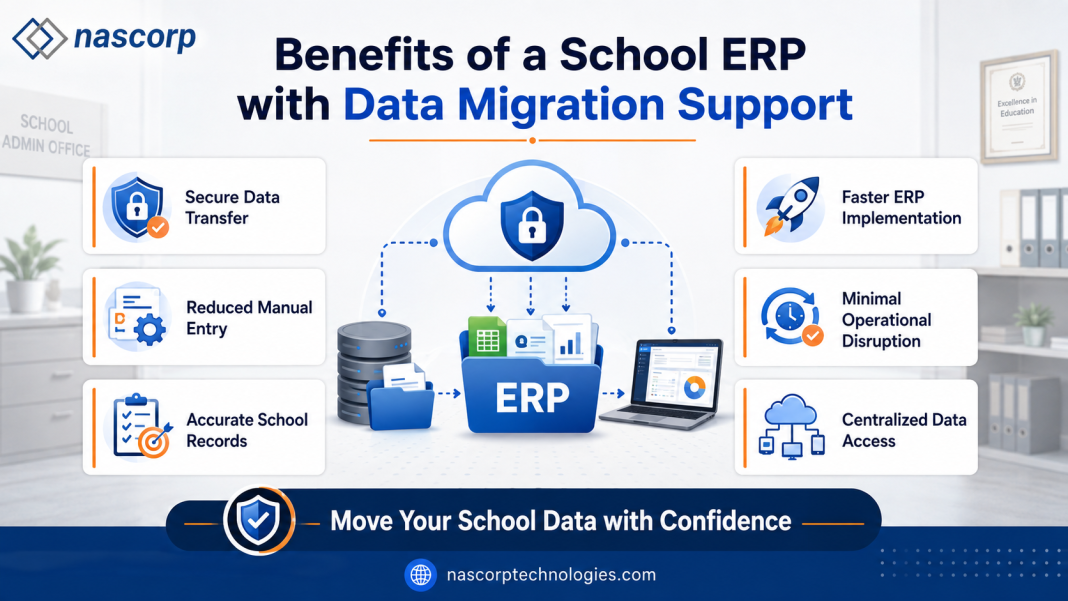
Schools replacing an existing ERP should determine whether relevant records can be migrated. The provider should review the available data format before confirming the migration scope.
Potential records may include:
- Active student profiles
- Parent information
- Fee balances
- Employee details
- Academic records
- Transport allocations
- Relevant documents
Data should be cleaned, mapped, imported, and verified before the old system is discontinued.
6. Understand Implementation and Training
Ask the provider for a clear implementation process covering configuration, data preparation, testing, staff training, launch, and support.
Training should be provided according to user roles. Teachers, accountants, administrators, HR employees, and management users have different requirements.
7. Examine Support Services
Reliable customer support is essential after implementation. Schools should understand:
- Available support channels
- Working hours
- Issue-reporting process
- Escalation procedure
- Typical response workflow
- Training support for new employees
- Treatment of enhancement requests
Support commitments should be documented wherever possible.
8. Check Security and User Permissions
The ERP should provide role-based access so users can only view or modify authorized information. Schools should also discuss authentication, backups, hosting, data access, and account-management procedures.
9. Evaluate Scalability
The software should support the school’s future requirements. A growing institution may add students, employees, branches, modules, users, and integrations.
A multi-branch school group should ask whether management can access consolidated reports while campuses maintain controlled operational access.
10. Understand Total Cost
Price should be evaluated along with implementation, migration, customization, training, support, mobile applications, integrations, and renewal costs.
The least expensive option may not provide the best value if essential services require separate payments.
Compare ERP providers based on support, not features alone.
School ERP for CBSE Schools
CBSE schools require structured management of classes, subjects, attendance, examinations, grades, marks, report cards, and student performance. They also need efficient administrative modules for admissions, fees, communication, transport, HR, and payroll.
During evaluation, CBSE schools should provide sample report cards, grading structures, and examination requirements. The provider should demonstrate how the system can be configured and tested before final academic processing.
School ERP for Multiple Branches
School groups operating multiple campuses require centralized control with branch-wise permissions. The ERP should support:
- Branch-specific student records
- Separate or common fee structures
- Employee allocation
- Campus-level user permissions
- Consolidated reports
- Centralized communication controls
- Student transfer between branches
- Common and branch-specific academic structures
The implementation plan should clearly define what is controlled centrally and what each campus manages independently.
Questions to Ask a School ERP Provider
Before making a final decision, ask:
- Which ERP modules are included?
- Is the software suitable for our school board?
- Can the system manage our student strength?
- Does it support multiple branches?
- Are parent and staff mobile apps available?
- Can existing data be assessed for migration?
- What training is provided?
- How long may implementation take?
- What customization is possible?
- Which integrations are supported?
- How are permissions and backups managed?
- What support is available after launch?
- What is included in the quoted price?
Written answers can help the school compare providers more accurately.
Why Consider Nascorp Technologies?
Nascorp Technologies offers School ERP software designed to manage academic, administrative, financial, and communication activities through one platform.
The available modules cover student information, admissions, fees, online payments, attendance, examinations, report cards, parent communication, transport, library, inventory, HR, payroll, mobile applications, and School MIS.
Schools planning to adopt or replace ERP software can discuss their current processes, required modules, existing records, integrations, branch structure, and implementation expectations with the Nascorp team. This allows the implementation scope to be assessed according to the institution’s actual requirements.
Book a free Nascorp School ERP demonstration today.
Frequently Asked Questions
Which is the best School ERP Software Provider in India?
The right provider is one that meets the school’s required modules, budget, implementation, migration, training, security, scalability, and support expectations. Schools should evaluate providers through detailed demonstrations.
How much does School ERP software cost?
The cost depends on student strength, selected modules, users, branches, customization, mobile applications, integrations, migration, implementation, and support requirements.
Can existing school data be migrated?
Relevant data may be migrated if it is available in a usable and compatible format. The provider should assess the source records before confirming the migration scope.
Is School ERP suitable for CBSE schools?
Yes. A configurable School ERP can support CBSE academic and administrative requirements, including attendance, examinations, report cards, fees, admissions, and parent communication.
Can one ERP manage multiple branches?
A multi-branch School ERP can provide campus-level operations and centralized reports when the branch structure and permissions are configured correctly.
Does Nascorp provide mobile applications?
Nascorp School ERP includes mobile-application options for relevant school stakeholders. The exact user roles and available functions can be discussed during the demonstration.
Conclusion
Selecting a reliable School ERP Software Provider in India requires careful evaluation of the software, implementation process, data migration support, employee training, customer service, security, scalability, and total cost.
Schools should avoid choosing a provider solely on price or feature count. The right ERP should solve actual operational challenges and remain practical for everyday users.
Nascorp Technologies provides an integrated School ERP solution for CBSE, private, residential, large, and multi-branch schools. Educational institutions can request a demonstration and discuss their specific requirements before planning implementation.
Website: https://www.nascorptechnologies.com/ERP-software-customer-care#contact_us
Phone: +91 9212871807